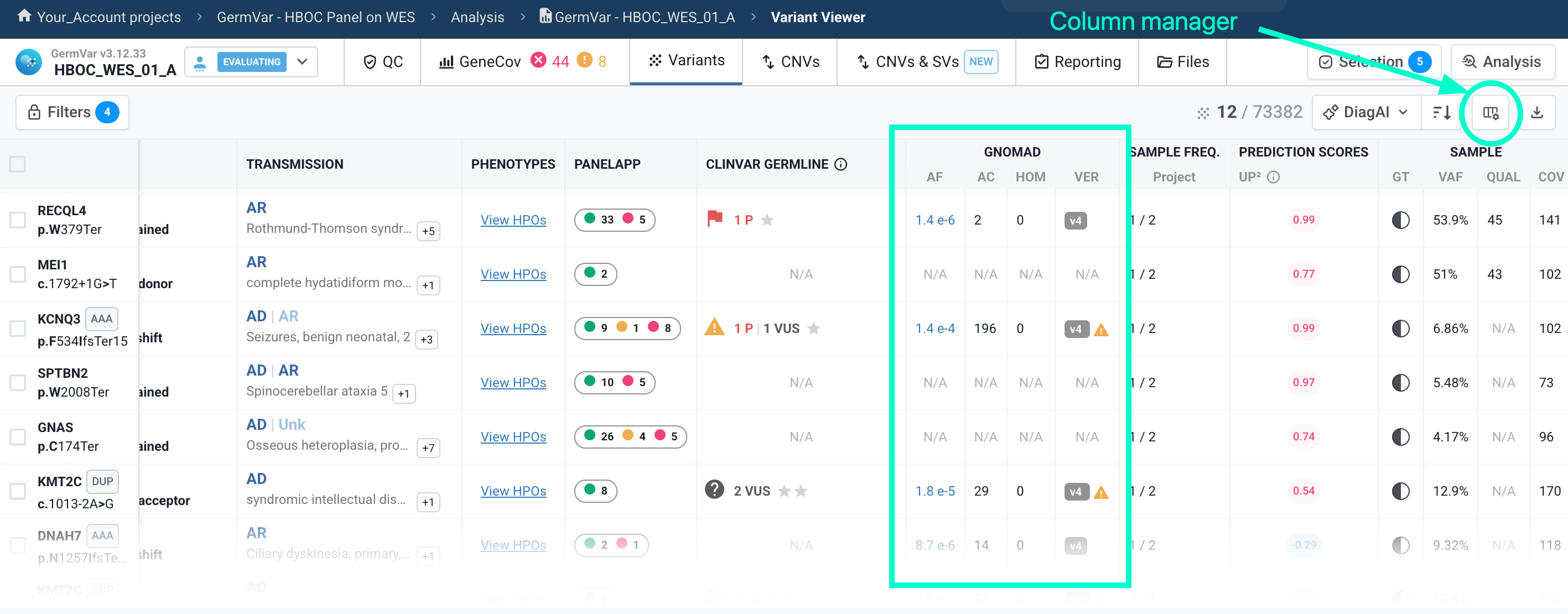
The GnomAD column displays population data from the GnomAD database. Each of the following elements can be shown or hidden independently from the column management panel:
- AF (Allele Frequency): allele frequency in the population
- AC (Allele Count): number of alleles
- HOM (Nb of homozygotes): number of homozygous individuals
- HEM (Nb of hemizygotes): number of hemizygous individuals — relevant for variants on the X and Y chromosomes
- MAF (Max Population Frequency): the highest allele frequency observed across any single population in GnomAD
- VER (Versions, GRCh37 projects only): the version of GnomAD in which the variant is found.
Clicking on the AF value redirects you to GnomAD v4 (or v2 if the variant is not found in v4). If a variant is not listed in GnomAD, the column displays N/A.
An alert icon ⚠️ may appear next to VER if the variant is present in GnomAD but does not pass all quality filters for at least one dataset (exome or genome). In that case, the failing filters and the affected dataset(s) are shown in a tooltip.
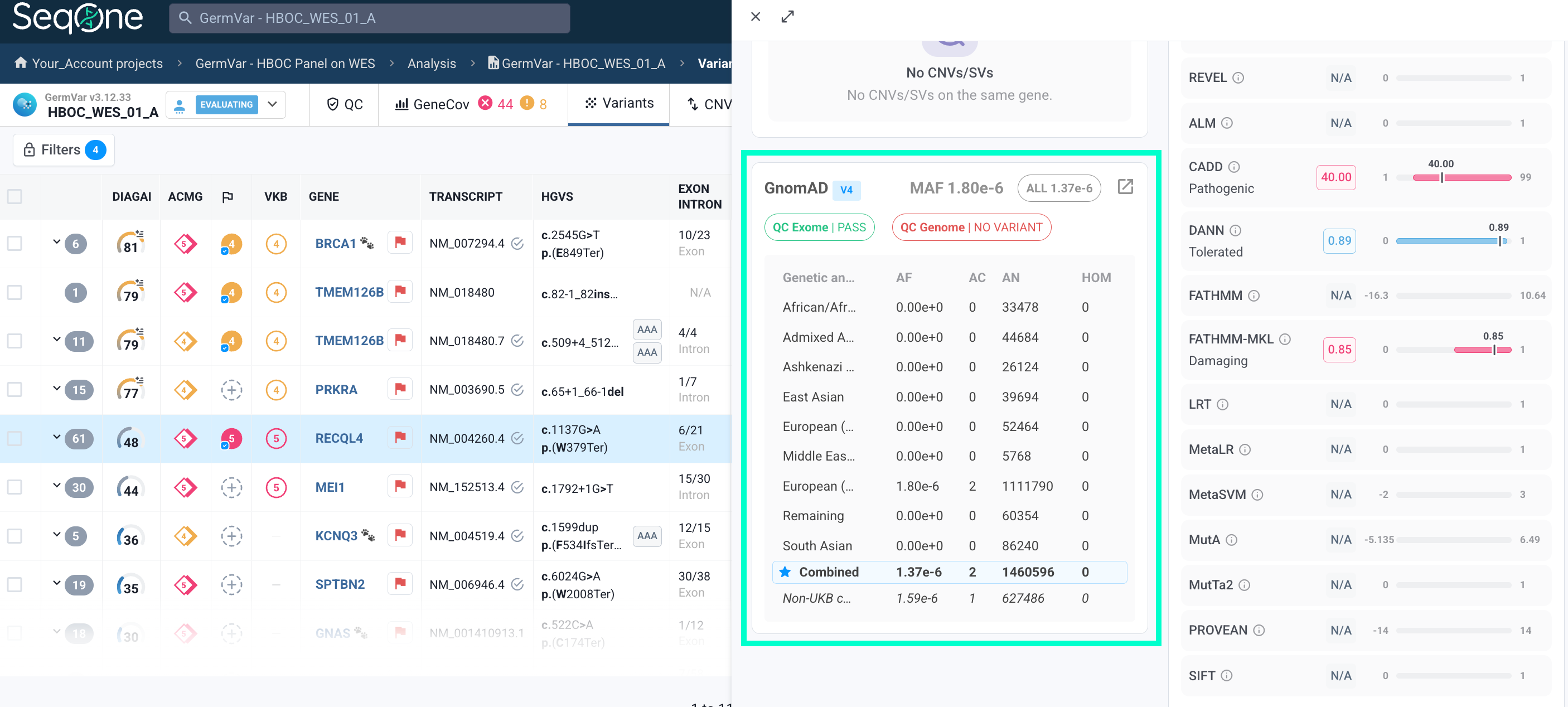
Detailed GnomAD frequency data, broken down by population, is also available on the variant page (side panel), accessible by clicking on any variant.
💡 Additional GnomAD data (HEM, MAF) can be displayed via the column management panel as shown above. You can also filter variants directly on GnomAD data using the GnomAD Allele Frequency, GnomAD Allele Count, and GnomAD Homozygote Count filters in the filter panel.